




Start listening now with the GraphicAudio Access™ App for Android and iOS Devices:
- Install the GraphicAudio Access™ App on your device.
- Open the app, type your info and tap the Login button.
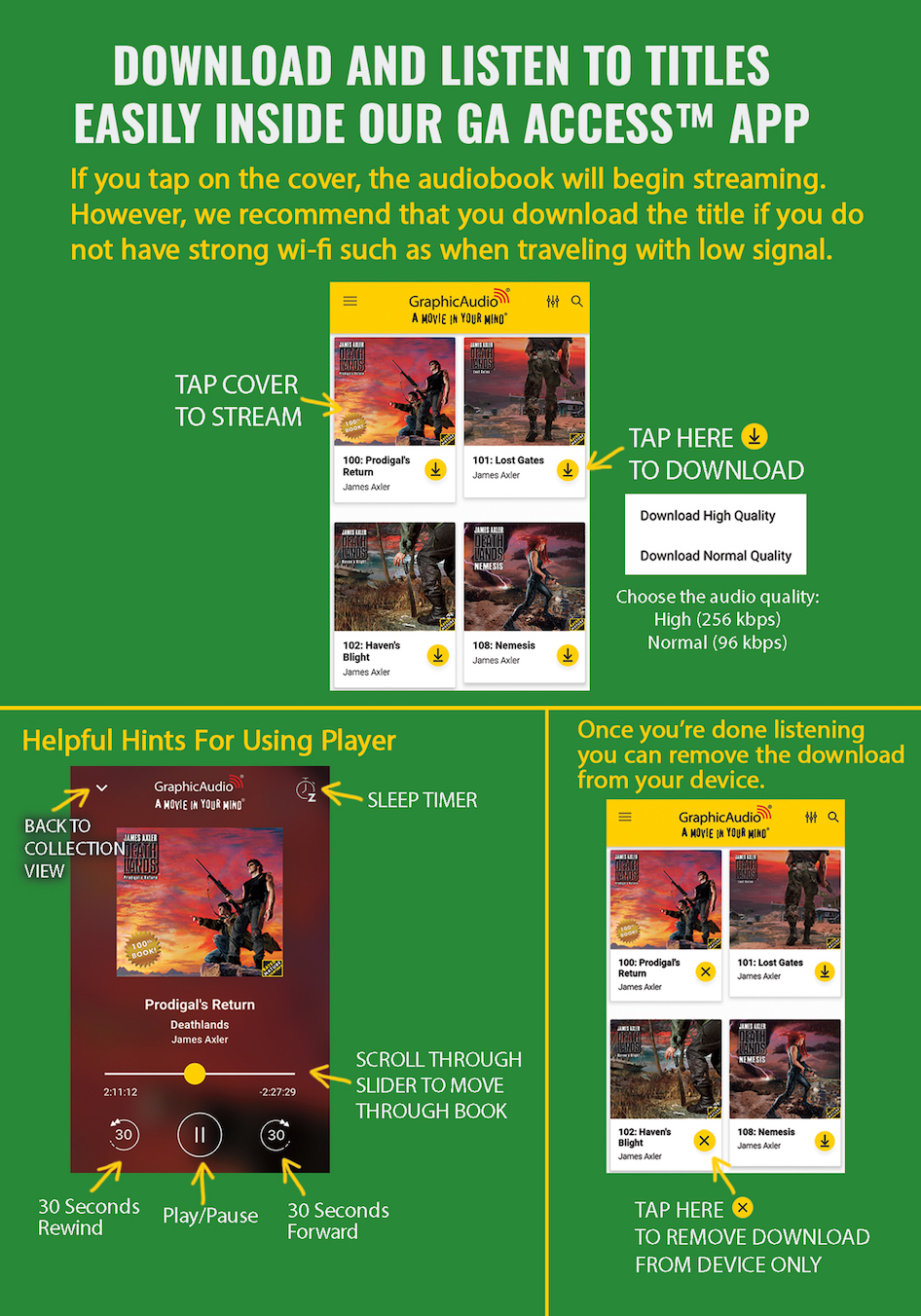
- Stream or Download your titles inside the app.

Try our app featuring Dark Mode, Sleep Timer, Samples & Streaming!
Access your purchases directly on your mobile phones and tablets. Simply log into the GraphicAudio Access™ App on your device, and your titles will be available to stream instantly or download for offline listening in a high quality audio format. Apple CarPlay and Android Auto make it easier to control our app from your vehicle dashboard. Listen anytime, anywhere!
Have more questions? Check out the FAQ below.
Q: I would rather download my books than stream. How do I download with the app?
A: You can download a title to your local device by tapping the "yellow down arrow" icon next to the book name.
Q: I bought a new book, but it isn’t appearing in my collection. Where do I find my newest purchase?
A: You can "pull down to refresh" on the collection view. Go to the top of your list of titles and pull down on the screen and it will update the title list.
Q: How many devices can I use the app on?
A: You can activate the app on three different devices per account. If you need to remove an old device, then visit the Access App management in your account section on the website and remove it from the list.
Q: How do I add more books to the app?
A: You can not purchase titles inside the app, so please purchase audiobooks on our web store using a browser.
Google Play is a trademark of Google Inc. Apple, the Apple Logo, iPad, iPhone, and iPod Touch are registered trademarks of Apple Inc. App Store is a service mark of Apple Inc.
